
See what your printer and copier fleet costs, by device and by location. Next Level maps usage, expenses, and cost drivers — no obligation.
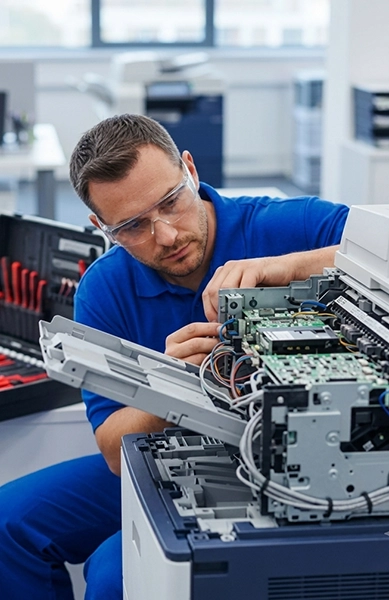
If your business has more than a handful of printers and copiers spread across desks, departments, or office locations, there’s a good chance nobody has a complete picture of what that fleet costs. One department orders toner on a credit card. Another has a copier lease and a separate service agreement. A remote office is running a few aging printers that never show up in the central budget. Each expense looks manageable on its own — together, they create a print environment that’s hard to track, support, or plan for.
A Fleet Cost Analysis brings those devices and expenses into one clear view. We map your fleet by device and location, review the available costs and usage, and identify the equipment or expenses having the biggest effect on your budget. The goal isn’t to replace every machine — it’s to understand what you have, what it costs, and where to focus first.
This tends to happen gradually: different departments buy printers independently, new locations inherit equipment from older offices, several brands end up doing the same job, and toner gets ordered through half a dozen different vendors. Nobody planned it that way — it’s just what happens without a current device inventory. Fleet Cost Analysis organizes that environment before you make another purchase, sign another lease, or build next year’s technology budget.
Fleet Cost Analysis is a focused review of your printer and copier fleet — device inventory, location, print volume, operating cost, utilization, and standardization opportunities. The Print Navigator Assessment is broader: it can also cover copier leases, service agreements, scanning needs, and overall technology strategy.
Fleet Cost Analysis is usually the right starting point when your main concern is device-level cost and fleet visibility. The Print Navigator Assessment fits better when you also need a deeper look at contracts, workflow, and longer-term planning.
The analysis brings scattered equipment and expense information into one practical operating view.
Every copier and printer currently in use — make, model, and location
Monthly print and copy volume, black-and-white and color, by device
Lease, rental, or ownership status, and service/maintenance costs
Toner and supply expenses, overage charges, and recurring freight fees
Which devices are overused, underused, or rarely used at all
Device age, condition, and repair or service history
Where equipment differs across locations — different brands, ages, or capabilities doing the same job
Equipment approaching a replacement decision
A multi-device environment usually also carries separate maintenance agreements, desktop-printer toner purchases, color overage charges, annual service increases, several types of toner sitting in storage, and staff or IT time spent supporting inconsistent equipment — plus machines that are barely used but still carry a monthly payment. These costs are almost always spread across different departments, invoices, and vendors. Fleet Cost Analysis brings the available information together so leadership can look at the fleet as one operating environment instead of a pile of unrelated machines.
Bring leases, service, toner, overages, repairs, recurring fees, and usage into one business-ready picture.
Our findings come from your equipment records, invoices, agreements, meter reports, and available usage data — organized with the same tools that support the Print Navigator process.
Calculates the real operating cost of each device (lease or rental payments, service, toner, overages, repairs, and recurring fees), not just the purchase price or monthly payment
Organizes your fleet by office, department, and location, so you can compare which sites have the most equipment, the highest volumes, or the most aging or unreliable machines
Ranks the devices or expenses having the biggest effect on your current print costs, so you know where to focus first instead of trying to change the entire fleet at once
We identify which offices, departments, and devices should be included, and talk through why you’re requesting the review — budgeting, expansion, repeated service problems, or rising costs.
Equipment lists, lease or rental agreements, service contracts, recent invoices, meter reports, and toner purchases are all helpful — but nothing needs to be perfectly organized before you contact us.
We organize the included devices by location, department, type, usage, and cost into one central inventory that operations, finance, IT, and leadership can all work from.
We compare the available cost and usage data to identify high-cost devices, low-use equipment, aging or unreliable machines, duplicate capabilities, and places where standardization deserves a look.
We separate what needs immediate attention from what can wait, then walk you through the results in plain business language — what’s driving cost, what’s working fine, and what’s worth reconsidering. There’s no obligation to replace equipment, switch providers, or accept a proposal.
Right-sizing doesn’t automatically mean removing devices — it means matching equipment to actual business needs. That can look like moving a device to a busier department, replacing several small printers with one better-supported machine, keeping a reliable device exactly where it is, or standardizing common models across locations to simplify toner ordering and support.
Standardization helps reduce unnecessary differences, but it isn’t about making every office look identical. We evaluate whether it makes sense based on volume, workflow, location, and support needs — not just for its own sake.
Finance gets a clearer view of monthly equipment expenses, higher-cost locations, and where the budget is actually going.
IT sees which brands, models, and support patterns are creating unnecessary complexity.
Operations gets a practical view of equipment placement, reliability, and supply availability for planning moves or expansions.
Leadership gets a fleet-level view that supports real planning, instead of reviewing one invoice or one machine at a time.
There’s no hard device minimum, but it’s generally most valuable for organizations that:
Next Level helps Southern California organizations understand their equipment before recommending a change. In practice, that means a real local team based in Irvine, a review of the current fleet before any new-equipment conversation, and independent recommendations based on your actual volume, workflow, and budget — not a push toward one manufacturer’s agenda. Sometimes the right answer is to replace a device. Sometimes it’s to move equipment, standardize supplies, or keep a reliable machine right where it is. The analysis comes first either way.
You don’t need a perfect equipment list or a commitment to replace anything. Start with what you have, and we’ll help organize the rest.
There's no hard cutoff. It's generally most useful for organizations with several devices, ten or more printers and copiers, or more than one office location.
Yes. Desktop printers are often a significant part of the analysis, since their toner and support costs are frequently spread across several departments and easy to lose track of.
Yes — that's exactly what the Sites Inventory is built for.
No. An existing list helps, but it isn't required — we can start with what's available and help identify what else should be included.
Equipment lists, lease or rental agreements, service contracts, recent invoices, meter reports, and toner purchases are all helpful, if you have them.
No. This is an informational review — you're not required to change providers, replace equipment, or enter a new agreement.
Not without your permission. We work from the documents and information you provide.
No. The purpose is to improve visibility and identify where attention may be needed. What the findings show — and what you do with them — depends on your current fleet and the choices you make.
No. Fleet Cost Analysis focuses on device-level costs, usage, locations, and standardization. The Print Navigator Assessment is broader and can include leases, service terms, and overall technology planning.
We review the findings with you and explain your practical options — budgeting, addressing high-cost devices, comparing locations, planning replacements, or making no immediate changes.
We use the documents and information you provide to prepare the Fleet Cost Analysis. Contact us before submitting files if your organization has specific confidentiality, security, or document-retention requirements.
Request a Fleet Cost Analysis to map your printers and copiers by location, compare operating costs, and identify the equipment that deserves attention first.