Automate scanning, routing, and document workflows so your team spends less time on repetitive handling and more time on work that matters.
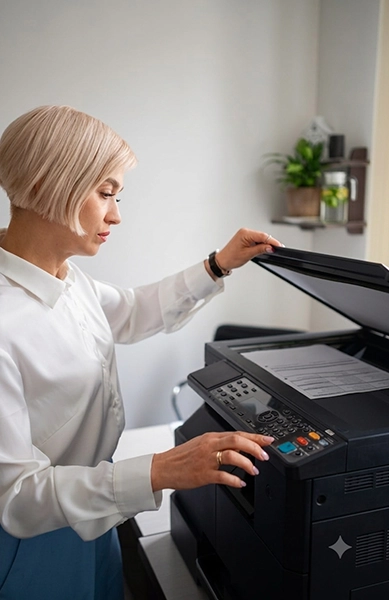
Most offices don’t lose time to one big problem — they lose it in small, repeated steps. Someone scans a document, saves it to whatever folder is closest, emails it to three people, and waits to hear whether anything’s missing. Multiply that across every invoice, contract, and intake form moving through the business, and it adds up to hours nobody notices are gone.
Workflow Automation is about removing those manual steps — not replacing your team, just clearing out the busywork that keeps them from doing the parts of the job that actually matter.
Automation works best when a process is repeatable, the rules are clear, and employees agree on how the work should move. If a process changes every time or depends heavily on human judgment, adding automation may create more problems instead of solving them.
Next Level reviews the process before recommending technology. Sometimes the first step is not automation. It may be simplifying the process, removing an unnecessary approval, or deciding where documents should be stored consistently.
We focus on practical improvements that fit the way your team actually works.
Small handling steps become expensive when they repeat across every invoice, contract, form, and approval.
Paper scanned one document at a time instead of batched and routed automatically
Files saved wherever's convenient instead of where they're supposed to live
Approvals tracked through email instead of a system that shows who's holding things up
The same document typed into more than one system by hand
No way to tell something's missing until someone goes looking for it
Staff spending time finding files instead of using them
Documents forwarded person by person instead of following consistent rules
No shared view of where a document is or what happens next
Workflow automation can route scanned documents to approved destinations, organize files so they are easier to search, apply rules-based access, and flag stalled approvals with notifications where the selected equipment and software support those capabilities.
Move documents through repeatable steps instead of relying on memory, inboxes, and one person’s desktop.
We review how documents move today, where time is being lost, and which controls or requirements need to be respected before recommending a workflow.
Current scanning and document-handling steps, department by department
Where paper still moves through the business, and why
How approvals and sign-offs happen today
Where staff time is going toward manual, repeatable tasks
Security and compliance requirements tied to document access
We start with a conversation about where paper and files travel today — the real version your team deals with, not the org-chart version.
We walk through who touches a document, where it gets scanned, saved, approved, or forwarded, and where things typically stall out.
Not every step needs to change. We focus first on whatever is repetitive, error-prone, or eating the most time.
We set up scanning, routing, and access rules around how your team actually works — not a generic template applied to every client the same way.
Workflows need adjusting as a business changes. We stay available after setup, not just during it.
Common use cases include invoice processing, customer or client intake, contract storage, approval workflows, multi-location access, and recurring document routing.
The goal is not to automate every task. It is to remove repeated manual steps where a clearer process can save time, reduce confusion, and make documents easier to manage.
Route invoices to the correct person for review and keep the process moving with supported notifications.
Capture, name, and route completed forms consistently while making missing information easier to identify.
Organize contracts and records in approved digital locations using consistent naming, folders, or indexing rules.
Create a clearer review path with better status tracking and supported reminders or alerts.
Workflow automation is useful for organizations where:
Next Level is a real local team based in Irvine, not a call center reading from a script. We review how your documents actually move before recommending anything, and we size the workflow to your business instead of applying the same template to every client. Support continues after setup — a workflow that isn’t revisited as your business changes stops being useful fast.
Start with the process you have today. We will help identify what is practical to improve and what should stay manual.
In most cases, no — we design around what you already have rather than starting over. Specific integrations depend on your current systems and get confirmed during the review, not assumed upfront.
Not always. Workflow automation is often about configuring what you already have rather than replacing it. We'll tell you clearly if new equipment would actually help versus just adding cost.
No. Any team spending real time on manual scanning, routing, or filing can benefit, regardless of size.
It depends on complexity. A single scan-to-folder setup can be quick; a multi-department workflow with approval routing takes longer. We'll give you a realistic timeline after the review.
Access controls can be configured when supported by the selected system. The appropriate setup depends on your network, user roles, document sensitivity, retention requirements, and internal security policies. We confirm the available controls during the workflow review.
No. Reviewing your current workflow and identifying what's worth automating doesn't cost anything or obligate you to move forward.
Request a workflow review and we’ll show you what’s worth automating first — no obligation.